How to see old Instagram messages, without scrolling
Messages from years ago are still tied to your Instagram account, but the app makes them hard to reach: you can only scroll up, one batch at a time, and it often stops loading before you get there. Here is how to reread your old DMs, year by year, without scrolling.
Why old Instagram messages are so hard to reach
Instagram loads messages in small batches as you scroll up. The older the message, the longer the scroll, and the app can freeze or jump back to the bottom before you arrive.
There is no date filter and no jump to a date, and searching a conversation only helps if you remember an exact word.
3 ways to read old messages on Instagram
Scroll up in the chat
Fine for a few weeks back. For messages from years ago, it can take hours, and the app may reload and send you back to the bottom.
Download your data
Instagram lets you request a copy of all your conversations, going back to your first messages. The JSON file you get isn’t meant to be read as is.
Open your export in Throwback
Your export reads like the app, conversation by conversation, with no scrolling limit. It is the only method that gives you back every old message in a readable form.
Read your old messages in 3 steps
- 1
Request your Instagram export
In Meta’s Accounts Center, request a copy of your messages in JSON format, for “All time”. Our guide walks through every setting.
- 2
Open it in Throwback
When Meta’s email arrives, download the ZIP file(s) and open them in Throwback, on your phone or on a computer.
- 3
Pick a conversation and go back in time
Open a conversation and scroll as far as you like, or use the calendar to jump to a year, a month or a day. Search a word to find a message you only half remember.
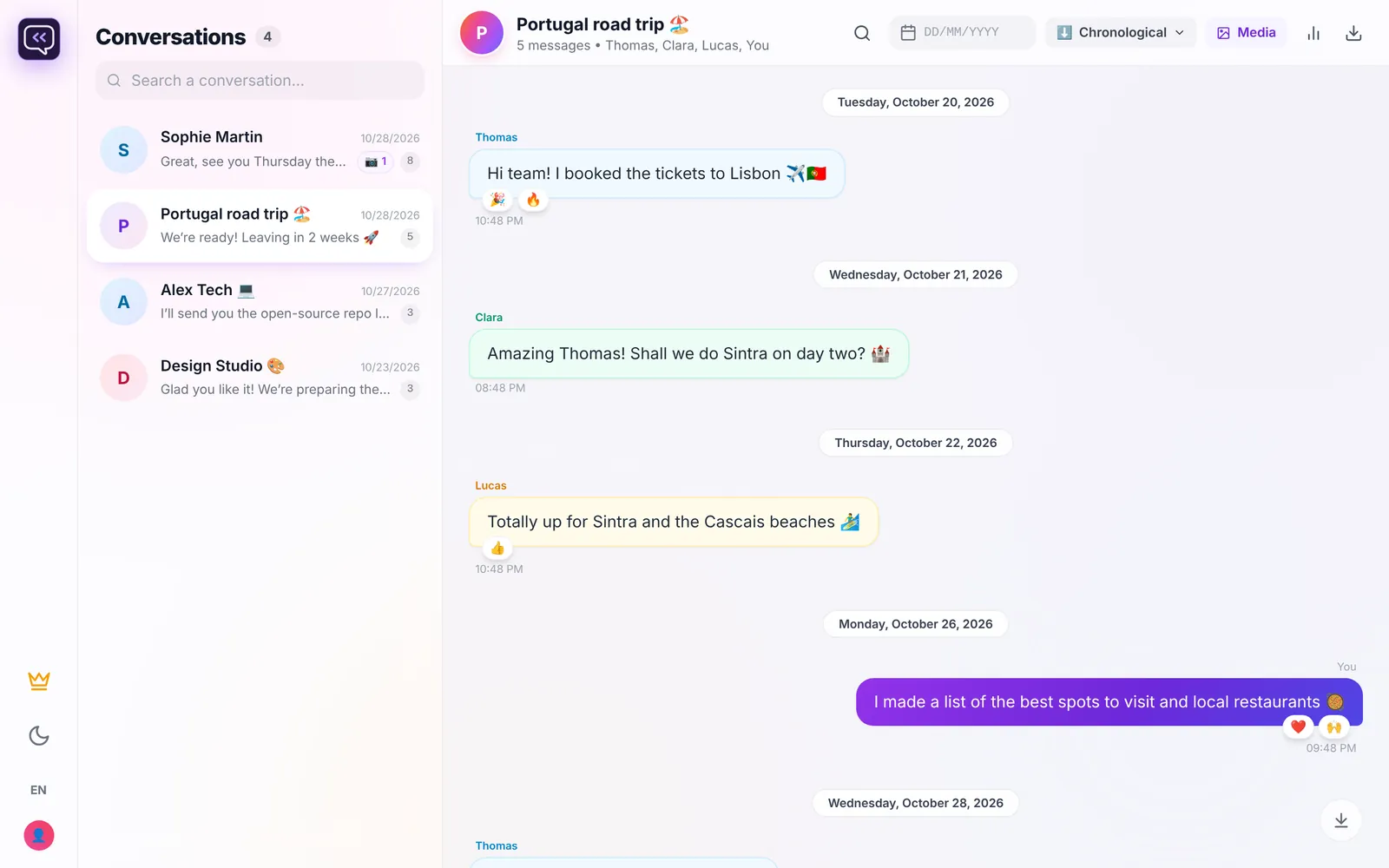
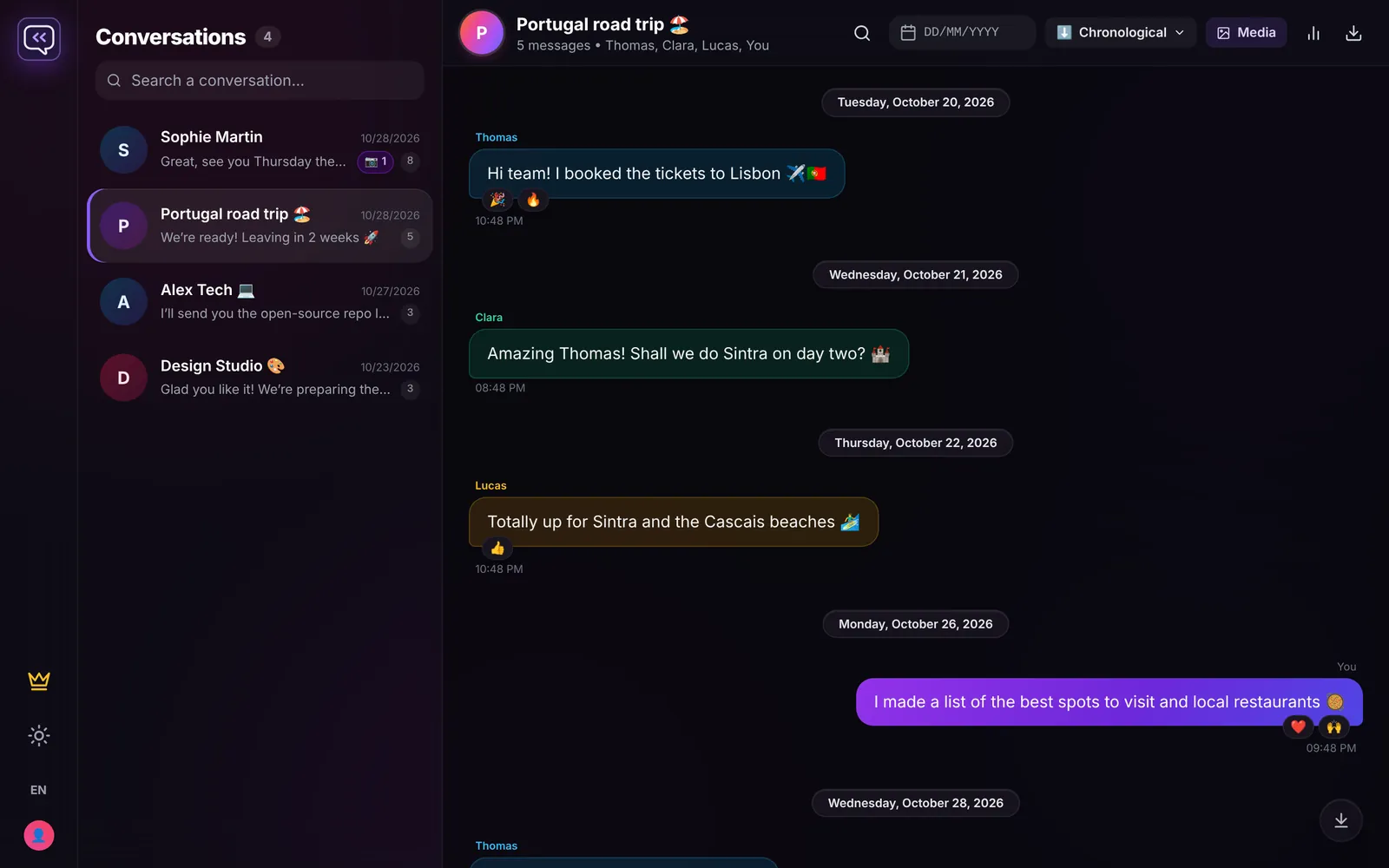
Go back year by year
A message from years ago sits right next to last week’s: pick a date in the calendar and you land on that day, without crossing the years in between. Searching a word covers the whole history of the conversation.
Group chats, reactions and edited messages are supported, and conversation statistics give you an overview of the whole history.
Find old photos, videos and voice messages
Each conversation has its own gallery of photos, videos and voice messages: no need to scroll for hours to find a picture sent years ago.
The archive stays saved in your browser, so your conversations are there on your next visit, with no re-import needed.
Frequently asked questions
Not in the Instagram app: you can only scroll up. With your data export opened in Throwback, you can open a conversation at any point of its history, jump to a date or search a word.
With the “All time” period, the export contains every conversation since your account was created. Only messages that were unsent or deleted before your request are missing.
Throwback shows the last 300 messages of every conversation for free. To read older messages, all the way back to the first one, Full access costs €6.99, as a one-time purchase.
Yes. You can request the export from the Instagram app, then open it in Throwback in your phone’s browser. For an export of several gigabytes, a computer is a bit more comfortable, but it’s not required.
Yes. Each conversation has a gallery of the photos, videos and voice messages it contains.
No. The export only concerns your account and Instagram notifies no one. Throwback reads the file on your device and never connects to your account.
Yes. Group chats are in the export like one-to-one conversations, and reactions and edited messages are supported.
Reread your old messages
Request your export now: Meta often has it ready within a few hours.